
 Cabinet Engineering
Engineering, Redefined:
The Power of ELECTRIX AI for Control Cabinet Design
Turning Documentation into a Competitive Advantage
The modern challenges of electrical engineering—increasing project complexity, extensive documentation requirements, and a critical shortage of skilled labor—demand a revolutionary solution. WSCAD ELECTRIX AI is the world’s first electrical CAD software to natively integrate Artificial Intelligence, transforming control panel design into a high-speed, high-precision process.
- AI support with ELECTRIX AI: Benefit from up to 99% faster engineering
- Replicate past successes using macros
- Prioritize requirements: start with the control cabinet or the schematics
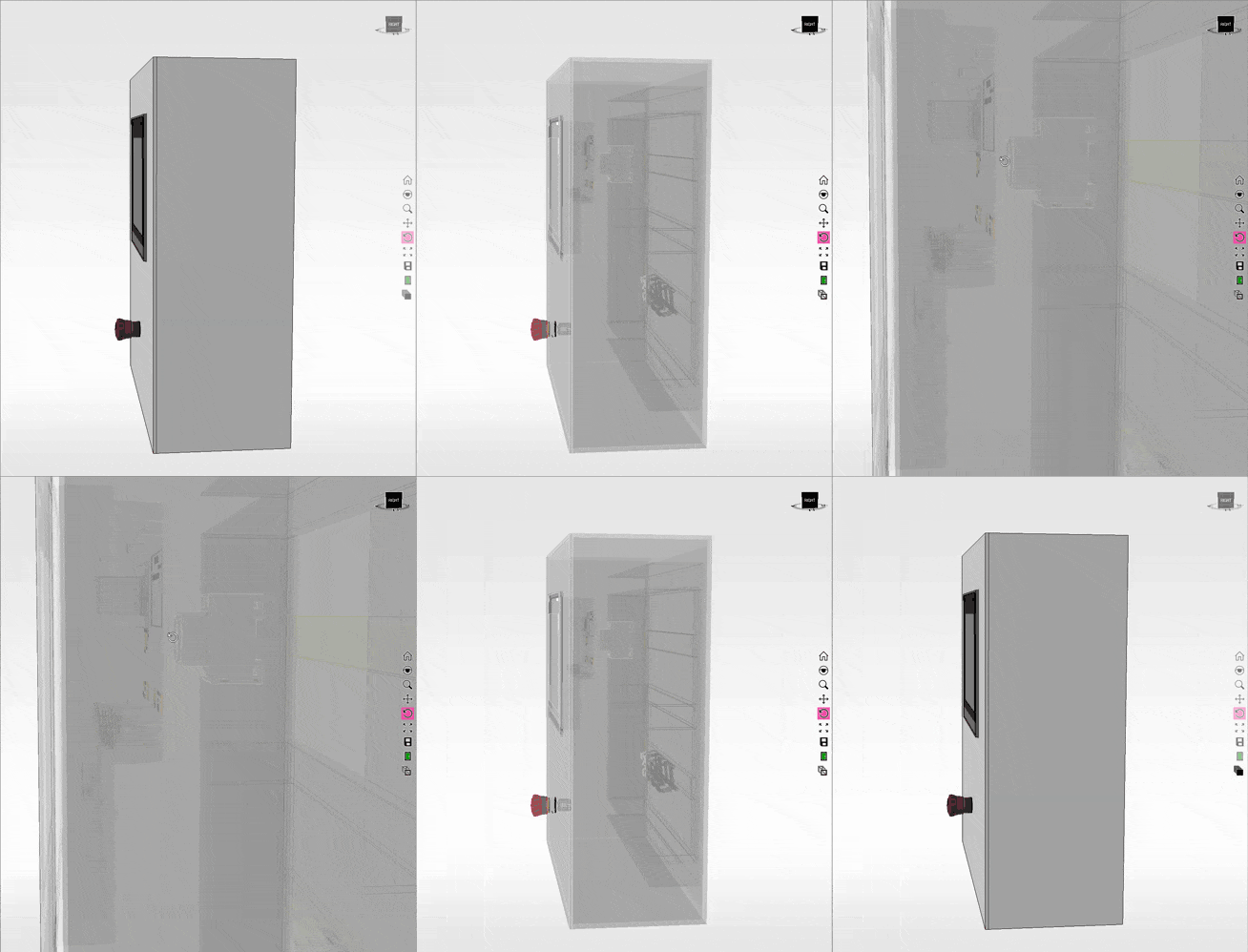
- 3D view of the enclosure: check for collisions, display the cable tray fill level and calculate the wire lengths
- Out-of-the-box integration with manufacturing machines

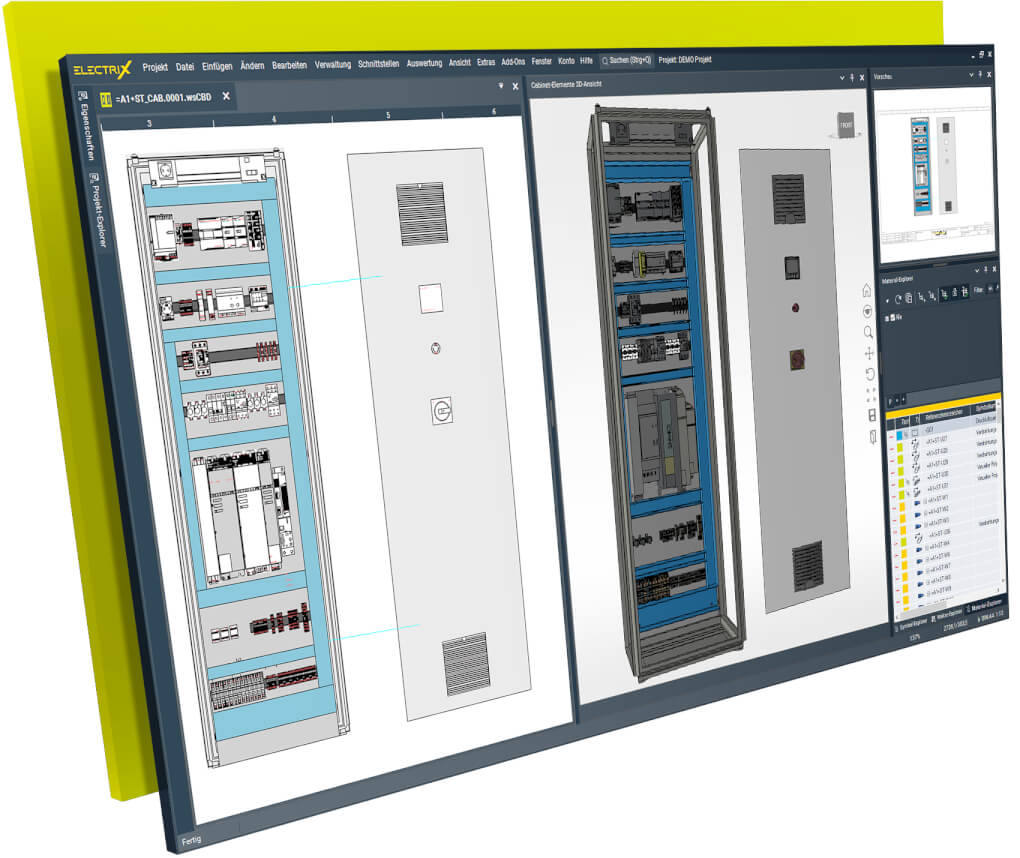
Redefining Productivity: The WSCAD AI Advantage for Control Panel Design
- Delegation and Automation: Delegate time-consuming, repetitive tasks to the AI Copilot, enabling both experienced and less experienced engineers to work productively.
- Up to 99% Time Savings: Achieve dramatic time reductions on specific design tasks, freeing up engineers to focus on strategic and creative work.
- Automated Layout Generation: Instantly generate a complete, space-optimized, and standard-compliant control cabinet layout from the schematic.
- Eliminate Costly Errors: Use simple commands to scan the entire project and identify issues like open connections or missing article numbers, resolving checks that would take an experienced engineer hours in just a few seconds.
- Seamless Manufacturing Data: Output an “almost finished layout” that transfers directly to CNC machining, eliminating a major manual production bottleneck.
Get to know the Cabinet Engineering discipline of WSCAD’s electrical CAD software ELECTRIX
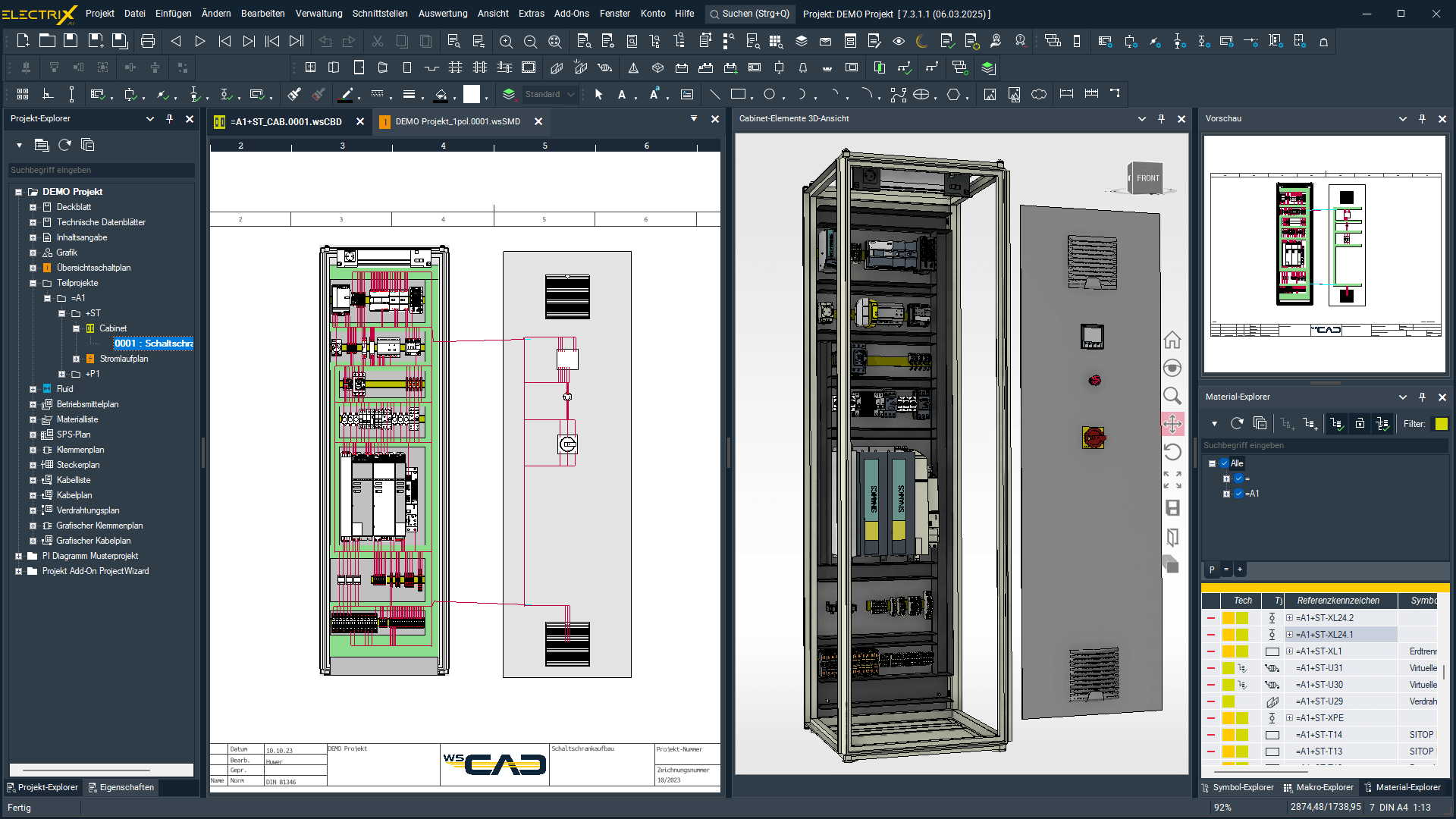
Core Features & Technical Breakdown
The AI Copilot: Command Center of Efficiency
The AI Copilot is your intelligent digital assistant, allowing you to control and automate workflows via a simple chat box or text commands. This feature not only speeds up work but also addresses the skilled labor shortage by acting as a multiplier for existing expertise.
- Command-Driven Automation: Automate tasks like generating a Bill of Materials (BOM) or placing macros with simple commands, reducing click-intensive processes to seconds. For example, a command like, “Place the macros CPU, PLC-DA, PLC-DE, and PLC-Potentials on a new page” is executed in only 15 seconds, significantly faster than the five minutes required using traditional methods.
- Instant Technical Assistance: Eliminate manual research by asking the Copilot technical questions like, “How do I change the wire colors in the cabinet?” and receive the answer in seconds.
- Intelligent Component Selection: Use natural language commands to select parts with correct attributes for your design; for instance, typing, “Give me a blue copper wire, 24V DC, 64A” instantly provides a 16mm2 wire with the correct attributes.
Standards-Compliant Planning & Documentation
ELECTRIX AI’s automated layout generation for control cabinets is based on the circuit diagram and includes component placement, positioning of cable ducts, and wiring.
- Automated Layout: The software automatically designs a complete control cabinet, generating a standard-compliant and space-optimized layout that can be transferred directly to CNC machining.
- Intelligent Documentation: The complete documentation, including cabinet layout, is automatically generated as an intelligent PDF file, allowing service technicians to switch between the cabinet layout and other plans by clicking on a cross-reference.

Workflow Acceleration Tools
WSCAD ELECTRIX provides a comprehensive suite of tools that work together to accelerate every stage of the engineering lifecycle:
- Project Wizard: Revolutionary Standardization
The Project Wizard add-on is designed for process optimization and allows you to automatically generate schematics and diagrams across all WSCAD disciplines. Once diagrams are created, they serve as the foundation for standardized documentation that can be reused for a variety of projects.- Modular Creation: Documentation generation is simplified by activating and deactivating individual macros (functions) within a project template. The system uses macros and variables, allowing users to assign and enter values for variables like symbol texts, line names, and function texts in a well-organized table.
- Practical Use Case: A user can create a standardized, modular macro set for an entire machine line. When a new order arrives, the engineer can simply activate/deactivate modules and edit all necessary technical variables (e.g., motor horsepower, PLC addresses) via a single table, automatically generating the complete, new electrical documentation.
- Interdisciplinary Engineering (IDE):
Built upon a modular and scalable software core with a central database, WSCAD ELECTRIX integrates six engineering disciplines to ensure continuous data flow and consistency across the entire design, production, and service lifecycle.- Key Benefit: This approach eliminates data discontinuity, errors, and delays that occur when using siloed tools.
- Practical Use Case: Data can flow from a Piping and Instrumentation Diagram (P&ID) directly to the Electrical Schematic and then into the Control Cabinet Design module, enabling efficient data re-use throughout the complete engineering process.
- wscaduniverse.com: The World’s Largest Component Data Portal
Engineers have free and integral access to com, which offers over 2.1 million current symbols and part data from 435 manufacturers.- Key Feature: This library ensures engineers are always using current, accurate manufacturer data for their designs.
- Practical Use Case: If a 3D model is missing for a cabinet component, the engineer can instantly check the portal, download the necessary STEP file, and assign the 3D model to the part for use in the Collision Check.
- WSCAD Cabinet AR App: Augmented Reality for Assembly and Service
This Augmented Reality (AR) app provides crucial component and schematic information on site by identifying components via their WSCAD QR codes.- Field Functionality: The app supports the assembly process by allowing users to access the wiring list, check off connections (wires) that have just been wired, and view the schematic page corresponding to a component.
- Practical Use Case: A technician in the field completes the wiring of a device. They scan the QR code, open the wiring list in the app, confirm the connection details (potential, wire cross-section, color code), and check off the completed wire. They can then transfer these assembly changes back to the design team via the cloud.
The WSCAD Ecosystem & Real-World Proof
Seamless Digital Integration
WSCAD ELECTRIX is designed as an open system that ensures a continuous data flow, connecting design, production, and service for the entire product lifecycle.
- Continuous Digital Twin: The project data, or “digital twin,” can be used for service, maintenance, and retrofits, allowing changes to be tracked and documented. Changes from production, such as redlining notes or wiring status, can be fed back into the design via the Cabinet AR app.
- Manufacturing and Enterprise Integration:
- NC/CNC Data: Export data for cabinet doors and mounting plates for direct transfer to NC machines from manufacturers like Kiesling and Steinhauer, eliminating the need for additional mechanical CAD software.
- Wire Production: Generate data for the automated production of wires and wire sets via service providers (CadCabel) or direct connection to machines from Komax or Steinhauer.
- ERP/PLM/MES: Interfaces are provided for integration with enterprise-level systems to ensure a seamless fit into existing workflows without data loss.
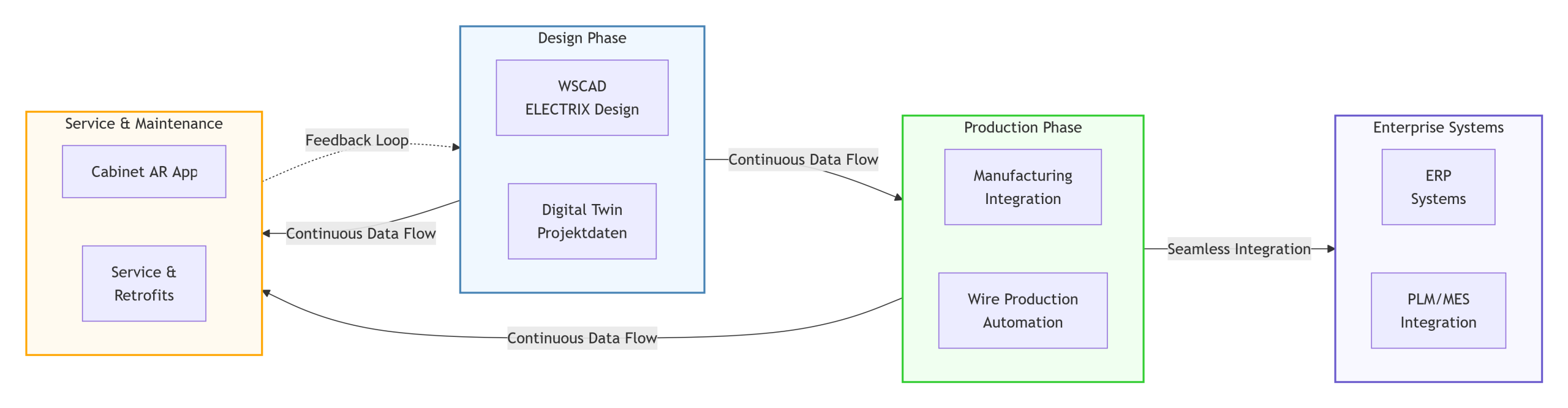
NUR MAL QUICK&DIRTY GRAFIK!!
Technical Deep Dive: Practical Workflow Scenarios
The core of WSCAD ELECTRIX lies in automating and simplifying complex, time-consuming daily workflows. Here are examples of how engineers leverage the software:
- Accelerated Layout Review: Instead of manually searching the database for a component’s 3D model, an engineer checks the cabinet’s 3D view (using Ctrl + O). If a component appears as a schematic cuboid, they use the system to quickly check if the part and 3D model exist in com.
- Instant Documentation Generation: An engineer delegates multiple routine tasks simultaneously with a single command to the AI Copilot: “Create a material list and a terminal diagram”. This replaces over 10 clicks and is executed in seconds, providing a fully populated Excel file.
- On-Site Wiring and Maintenance: A maintenance technician scans a WSCAD QR code on a component using the Cabinet AR App. The app instantly displays the part number, function text 45, and allows the technician to immediately jump from the cabinet page to the corresponding wire in the project schematic (PDF file) for troubleshooting.
- Component and Sizing Selection: Instead of consulting tables or manuals, an engineer types: “Give me a blue copper wire, 24V DC, 64A”. The AI Copilot instantly calculates and presents a 16mm2 wire with the correct attributes, speeding up the design process and ensuring accuracy.
- Preventing Production Errors (Cabinet Expert): During the design phase, the engineer performs a quick check via the Cabinet Expert module’s features. They use the cabinet wiring function to view the fill level of the cable ducts, and if any section is marked red, they know immediately that they must enforce re-routing or select larger channels before production begins.

Generate BOM with just one prompt in teh ELECTRIX AI Copilot
Experience WSCAD ELECTRIX for cabinet engineering!
Electrical design is WSCAD’s speciality. Work quickly, digitally throughout the process and always with high quality. WSCAD ELECTRIX is the electrical CAD solution that supports you in your daily engineering work and allows you to complete your tasks more efficiently. From schematics, cabinet assemblies in 2D and 3D, label printing, wire and cable core labelling, production data for the manufacturing of wires, wire sets, cabinet doors and mounting plates to wiring and maintenance via app.
- Start either with the panel layout or the schematics
- Automated cabinet design
- Design made easy
- End-to-end cabinet layout with manufacturing integration
- Wiring, maintenance and service via app
Start either with the panel layout or the schematics
- Create schematics directly in our electrical CAD software ELECTRIX or easily import schematic data from customers and suppliers.
- Plans created in WSCAD (even from older WSCAD versions) can be imported and processed immediately.
- For schematics in other electrical CAD formats, you can import e.g. component, terminal and wiring lists and then immediately start the control cabinet design in WSCAD.
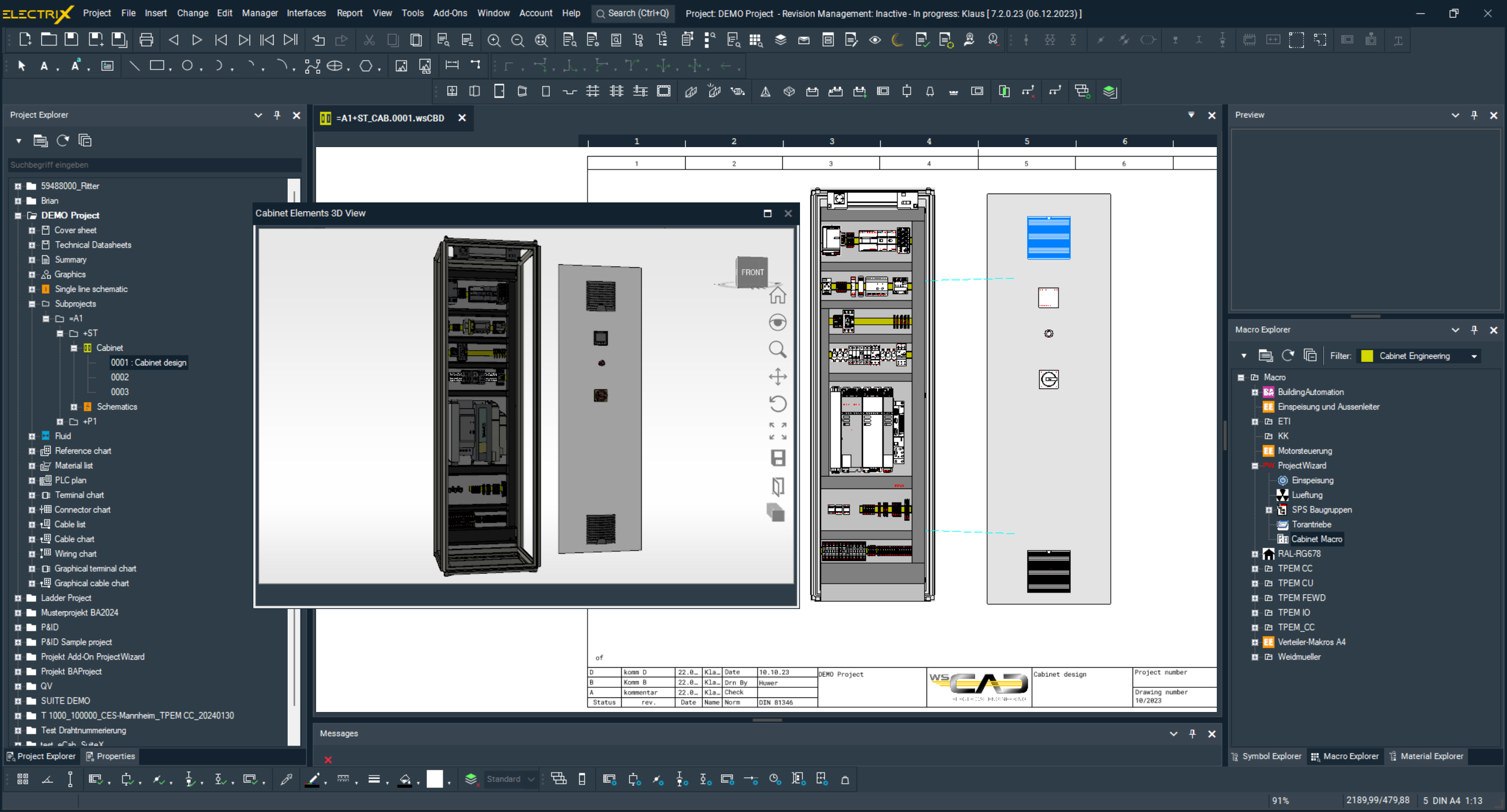
Automated cabinet design
- Save frequently recurring designs as macros with variables. Use them to create panel layouts in your projects at the touch of a button. This allows you to design a variety of cabinets with different requirements at lightning speed.
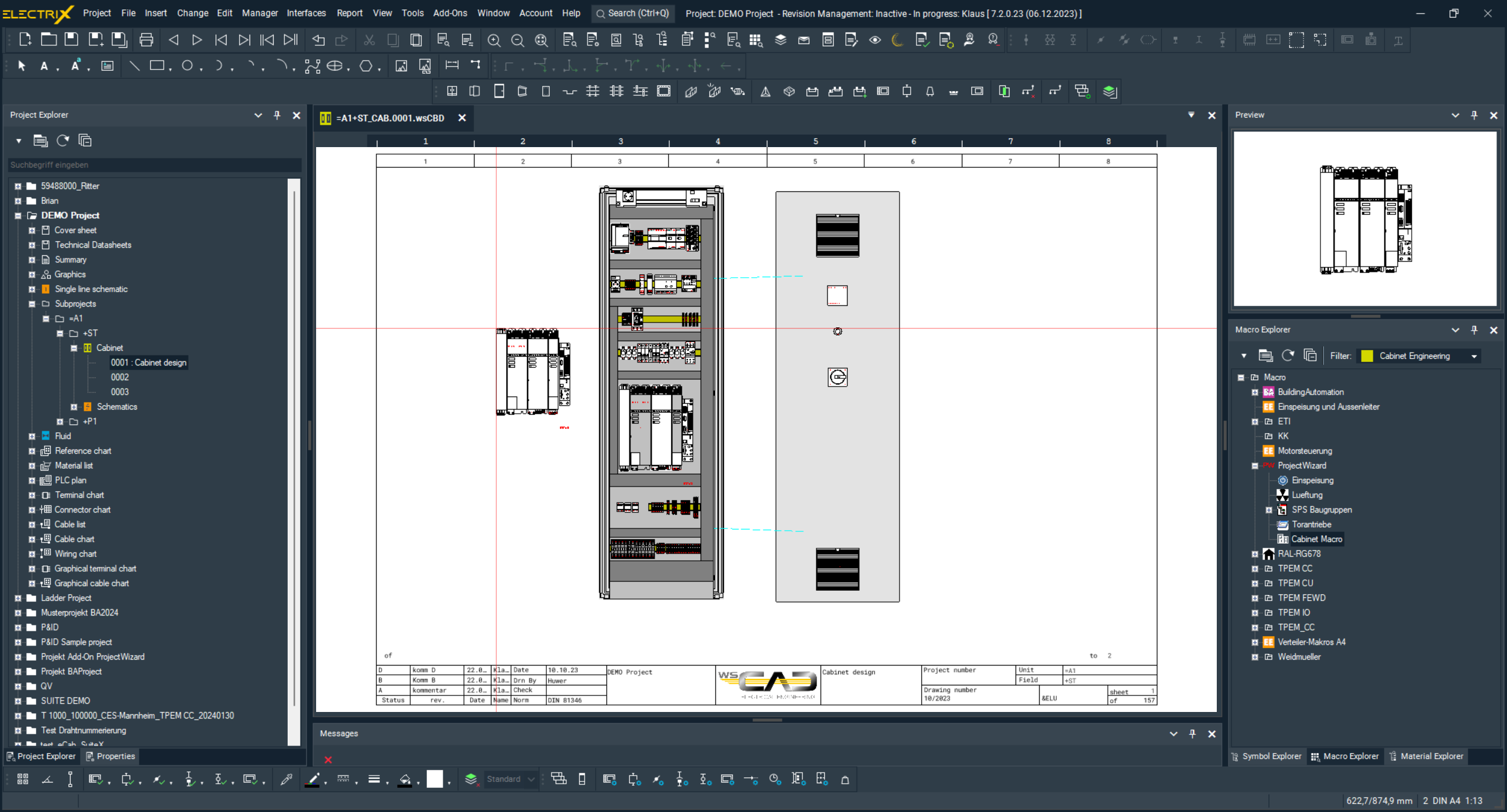
Design made easy
- Exact and true-to-scale placement of components to 1/10th of a millimetre
- Automatic calculation of wire lengths and wire routing
- The 3D view provides a better visualisation of the cabinet. The collision check allows potential errors to be identified as early as the design phase.
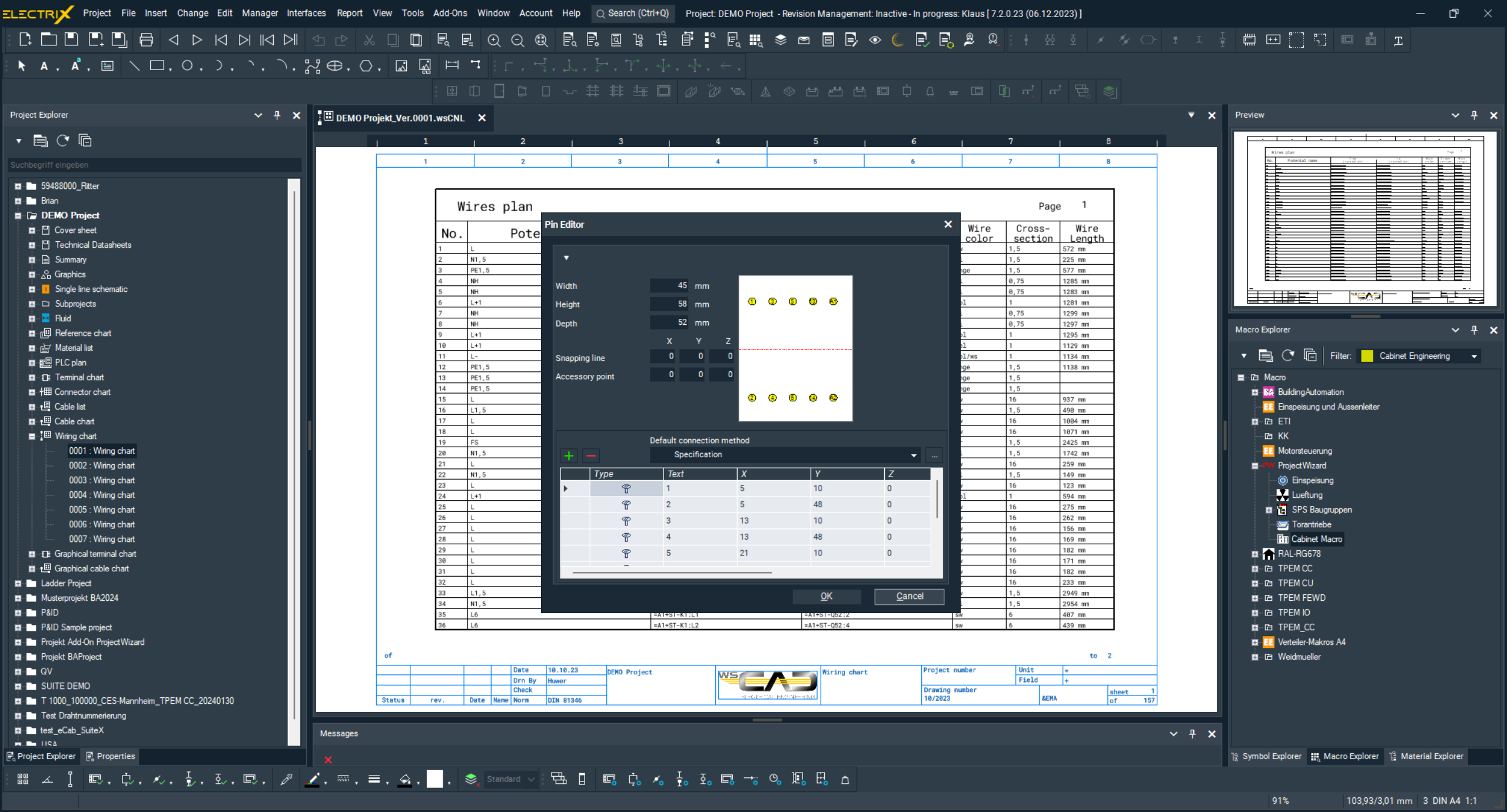
End-to-end cabinet design with manufacturing integration
- Get your panel ready for manufacturing with just one click: All data required for automated production (wiring lists, drilling/CNC data, parts lists) can be exported effortlessly and reliably. The clever control cabinet design with manufacturing integration saves you 60% of your time!
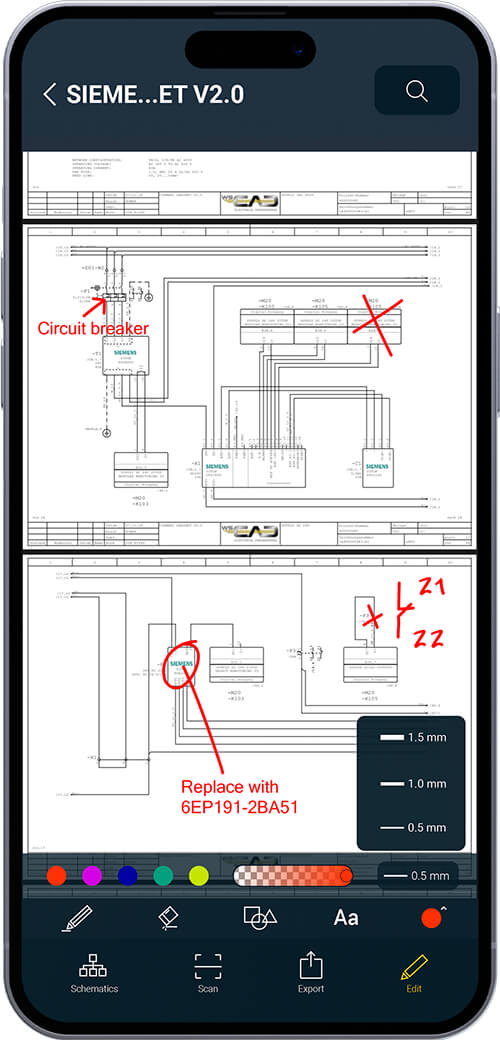
Wiring, maintenance and service via app
- Wire and maintain your control cabinet conveniently via the WSCAD Augmented Reality app.
- Conveniently wire connections via the app and never lose track thanks to the filter function for devices, wire colours or cross-sections.
- The app gives you immediate access to all plans for service and maintenance, including 3D views of the components used, as well as the complete part data and original manufacturer data sheets – always up-to-date and just a click away.
Get Started & Next Steps
Final Call to Action
The industry’s most significant challenges—time pressure and the skilled labor shortage—are solved by embracing intelligent automation51. Stop wasting time on manual clicks and corrections; empower your team and gain a competitive edge in the market.
Request Your Free, No-Obligation Electrix AI Demo Now!
Licensing and Accessibility Summary
The AI-powered features in ELECTRIX AI, including the Copilot and automated layout generation, are included at no extra cost in the normal subscription license. WSCAD ensures this revolutionary technology is accessible to companies of all sizes. A free, complete version (ELECTRIX ROCKET Ultimate, which includes all modules and add-ons) can be tried without obligation.
Frequently Asked Questions (FAQs)
Q: Is my project data safe when using the AI Copilot?
A: Yes, WSCAD employs a sophisticated security concept56. All entries are end-to-end encrypted, and the chat history is deleted after each session, ensuring that personal data and IP addresses are not saved or forwarded.
Q: Does WSCAD ELECTRIX AI support 3D design?
A: Yes, WSCAD ELECTRIX can display a cabinet designed in the Cabinet Engineering discipline as a 3D model, provided the component parts have assigned 3D models. This is essential for features like the Collision Check and the 3D View.
Q: How does the software ensure my components are correctly placed?
A: The principle is: “When everything is green, everything is in – which means nothing has been forgotten!”60. Components placed in the cabinet are marked in green within the Material Explorer, allowing for immediate verification that all parts from the material list are accounted for.
Q: Can I use the WSCAD Cabinet AR App with my existing WSCAD ELECTRIX license?
A: Yes, the Cabinet AR App is compatible with WSCAD ELECTRIX 2018 or higher 62and is available for free download from the Apple App Store and Google Play Store.
Q: Are the AI features restricted to only one discipline?
A: No, the WSCAD AI Copilot and its features support the full range of WSCAD ELECTRIX disciplines
Get the WSCAD ELECTRIX demo version
Try now the latest version of the electrical CAD software from WSCAD for free
Test the complete WSCAD ELECTRIX demo, including all the modules for free. Simply fill in the form and we will send you an email with the download link.
What you can expect:
- Test all functions for 30 days without obligation
- Highest expansion level of the software with all six electrical design disciplines
- AddOn “ProjectWizard” pre-installed
- Completely free of charge – no credit card details required


